AI Coding Tools: Choose by Control Surface, Not Model Quality
Your team does not need another model ranking. It needs to decide where control lives, who owns shared state, and when MCP-connected project state becomes the missing layer.

Three control surfaces, three valid choices. The decision is architectural, not a quality ranking.
Cursor versus Claude Code is the loud version of the AI coding tools debate. It is also the wrong starting point for a team decision.
The official docs now describe tools that blur the old categories. Claude Code runs in the terminal, IDE, desktop app, and browser, with MCP, memory files, hooks, skills, and multiple agents around it [1]. Cursor Agent can edit code, run commands, search the repo, use the web and browser, create checkpoints, queue follow-ups, and accept interruptions inside the editor [4]. GitHub Copilot's cloud agent can research a repo, plan changes, work on a branch, and leave commits and logs in GitHub Actions [7].
For a source-labeled breakdown of Claude Code's specific extension layers, see Claude Code internals: skills, hooks, MCP, and subagents.
That is not one product category. It is three different places where control and state can live.
Teams usually compare AI coding tools by model output first: which one writes cleaner code, which one fixes tests faster, which one needs fewer reworks. Those questions matter. They just come second. The first question is architectural: where does the human steering point need to live, and who owns the durable record when the session ends?
That is the question this article answers.
Quick Answer: Choose The Surface That Owns Control And State
Choose Cursor, Claude Code, GitHub Copilot, Codex, or Agiflow by control surface before model quality. Use an IDE-native tool when humans need close diff-level steering. Use terminal or cloud agents when autonomous execution and repo guardrails matter. Add an MCP-connected project board when shared state must survive across tools, people, and sessions.
| Surface | Best fit | State owner |
|---|---|---|
| IDE-native tools such as Cursor | Close visual review, local diffs, frequent human intervention | Editor context, files, rules, and commits |
| Terminal or cloud-agent tools such as Claude Code, GitHub Copilot, and Codex | Longer autonomous runs, command execution, CI-style verification | Repo files, hooks, branches, logs, and commits |
| External MCP-connected board such as Agiflow | Multi-person work, multi-agent handoffs, audit trails, scoped project memory | Durable project board, tasks, artifacts, comments, vault entries, and workflow locks |
The Three Surfaces: Execution, Control, State
The useful framework has three parts.
Execution surface is where the agent runs. It may be an IDE, terminal, browser, desktop app, GitHub Actions environment, or another assistant client.
Control surface is where a human approves, interrupts, redirects, reviews, and verifies. In Cursor, that control is close to the code. In a terminal agent, it often lives in prompts, command permissions, hooks, and verification loops. In a cloud agent, it may live in plans, branches, commits, and logs.
State surface is where requirements, decisions, task status, acceptance criteria, artifacts, approvals, and handoffs persist after the session ends.
The old IDE versus terminal split misses the third surface. Cursor supports MCP and reusable rules [5] [6]. Claude Code supports MCP, memory, and hooks [1] [2] [3]. GitHub Copilot extends across IDEs, CLI, app, cloud agent, and MCP [8]. The practical distinction is not whether a tool has AI in an editor or terminal. It is what the tool makes easy to steer and what it leaves behind.

The article's point of view is simple: do not let the first adopted tool silently decide your team's architecture. Name the surface, then choose the tool.
When IDE-Native AI Coding Tools Fit
IDE-native tools fit when the human needs to stay close to the change.
Cursor is a good example because its docs describe much more than inline completion. Cursor Agent can run terminal commands, edit code, search code, use the web, operate a browser, create checkpoints, queue follow-up messages, and support interruptions [4]. Cursor rules add reusable prompt context at project, user, team, and AGENTS.md scopes, while Cursor notes that LLM completions do not retain memory between calls [5]. Cursor also supports MCP for external tools and data sources, including project and global config plus enterprise allowlists [6].
That is a serious control surface. The user can watch diffs, interrupt, checkpoint, review, and keep the agent inside an editor-shaped workflow. Social listening lines up with that. Product Hunt discussion frames IDE versus terminal as a workflow and control preference, not just model quality [17]. Reddit practitioners describe Cursor as more developer-friendly when the human wants to participate in engineering with AI, while terminal tools can feel better suited to semi-autonomous or CI-style use cases [18].
The limit is not that Cursor lacks state. Cursor rules, files, commits, and MCP connections all carry context in different ways. The limit is that the editor is still a local steering surface. It is strongest when the person using it is also the person reviewing the work in the moment.
That makes IDE-native tools a good fit for:
| Team need | Why the IDE surface helps |
|---|---|
| Reviewing UI changes or small feature diffs | The human can inspect changes where the code lives. |
| Keeping interruption cheap | Checkpoints and visible diffs make redirection natural. |
| Pairing with the agent | The developer can stay in the loop instead of waiting for a long run to finish. |
| Using reusable prompt context | Rules and AGENTS.md instructions keep common guidance close to the project. |
When Terminal Or Cloud-Agent Tools Fit
Terminal and cloud-agent workflows fit when the work can run farther before the next human decision.
Claude Code is the cleanest terminal example. Its official docs describe an agentic coding tool that can read a codebase, edit files, run commands, connect with MCP, use CLAUDE.md, use skills, use hooks, and work across terminal, IDE, desktop app, and browser [1]. Its memory docs also make an important boundary explicit: each Claude Code session starts with a fresh context window, and files such as CLAUDE.md carry knowledge across sessions as context, not as enforced policy by themselves [2]. Hooks are where stronger control can enter. A PreToolUse hook can allow, deny, ask, defer, or modify tool input around a tool call [3].
That is a different kind of control. The human is less likely to approve every edit inline. The control surface is built from instructions, permissions, hooks, tests, commits, and review habits.
GitHub Copilot's cloud agent shows another variant. GitHub says the cloud agent can research a repository, create implementation plans, make changes on a branch, run in GitHub Actions, and preserve transparency through commits and logs. GitHub also contrasts that with IDE agent mode, where decisions can be lost unless they are committed [7]. That is a state-surface statement as much as a product feature.
Practitioners often combine the two surfaces instead of picking one. One Reddit account describes using Cursor for UI and feature work, Claude terminal for large refactors or fixing test suites, and a VS Code extension to bring terminal agent work back into the editor [19]. Another thread asks how people compare Claude Code, Cursor, Copilot, Codex, and Antigravity in practice, with attention on context handling, repo understanding, and whether people use one tool or several together [20].
That pattern should not surprise anyone running real projects. The editor is good for steering visible changes. The terminal or cloud agent is good for longer execution. The problem appears when neither surface owns the whole work record.
Good terminal and cloud-agent setups usually have the same ingredients:
| Ingredient | What it protects |
|---|---|
| Small always-loaded files | Keeps persistent guidance readable and cheap. |
| Explicit hooks or permissions | Blocks risky tool use before it happens. |
| Test and lint commands | Converts vague confidence into repeatable checks. |
| Branches, commits, and logs | Preserves what changed and why. |
| Plan and review steps | Forces the agent to expose intent before and after execution. |
When The Team Needs An External MCP-Connected Board
The third surface appears when the work is no longer one developer, one tool, and one session.
MCP is the protocol layer that makes this possible. The Model Context Protocol docs define MCP as an open-source standard for connecting AI applications to external systems, including data sources, tools, and workflows [9]. The MCP specification describes it as an open protocol that standardizes integration between LLM applications and external data sources and tools [10].
That does not mean every MCP setup gives you good state design. Anthropic Engineering argues that large MCP tool sets can overload context and that agents scale better when tools are loaded on demand, filtered before entering model context, and state persists in files or skills [11]. The lesson for project management is direct: expose the right project state at the right scope. Do not dump a whole organization into the model and call it memory.
Agiflow is one concrete version of the external-board pattern. First-party Agiflow docs position it as a commercial project board that connects external AI assistants. The assistant remains the agent. Agiflow supplies scoped board tools, prompt skills, shared state, artifacts, vault entries, workflow locks, and workflow coordination [26].
That boundary matters. Agiflow is not another coding model and it does not run the coding agent. It is the durable project-state layer that a compatible assistant can read and update through approved scope. The coding agent may be Claude Code, Cursor, Codex, ChatGPT, or another MCP-compatible client. The board owns the work record.
Use an external MCP-connected board when at least one of these is true:
| Signal | What it means |
|---|---|
| More than one assistant may touch the work | Session-local context is too fragile as the handoff contract. |
| More than one human needs to inspect status | The source of truth must be readable without replaying a chat. |
| Tasks have acceptance criteria, artifacts, or approvals | State must persist as structured records, not conversation residue. |
| Access needs different scopes | Organization, project, work unit, or task context should be explicit. |
| Work needs locks or coordination | Agents should not silently collide on the same project state. |
The State Surface Checklist
The easiest way to evaluate AI coding tools is to ask what must still be knowable tomorrow.
From Agiflow's first-party workflow model, and from the tool behavior documented above, a useful state surface for AI coding teams should preserve at least these fields [26]:
| State field | Why it matters after the session |
|---|---|
| Task status | Shows whether work is planned, active, blocked, review-ready, or done. |
| Acceptance criteria | Tells the next person or agent what "done" means. |
| Owner and reviewer | Keeps responsibility attached to the work. |
| Branch or PR | Connects project intent to code evidence. |
| Current approval state | Prevents a session from treating unapproved work as ready. |
| Linked artifact | Preserves reports, screenshots, logs, design notes, or generated files. |
| Decision log | Explains why one path was chosen over another. |
| Workflow lock | Reduces accidental overlap across people or agents. |
| Vault or project context | Gives scoped access to the right supporting information. |
| Next handoff | Tells the next actor where to resume without guessing. |
The pattern is visible in practitioner workarounds too. Reddit discussions mention multiple projects, MCP setups, model switching, worktrees, .claude/, and keeping always-loaded files small [21]. Another practitioner describes moving from large PRD prompts to task files, dependencies, and scoped subtasks to avoid broad one-shot work [22]. Those are attempts to externalize state before the agent loses it.
Birgitta Boeckeler's spec-driven development analysis gives the same idea a different vocabulary. SDD tools differ by what a spec is, how specs are organized, and whether specs are living artifacts, change-lifetime artifacts, or source artifacts [24]. That is state ownership. The spec is not just input to a model. It is a surface where work survives.
For the adjacent problem of keeping team state durable across sessions, read AI coding team shared state. For the multi-agent handoff problem, read agent orchestration with Claude and Codex role separation.
The Decision Rule
Before reading another benchmark, answer three questions.
Where does the human steering point need to live?
If the answer is "inside the code review loop," start with the IDE. If the answer is "around longer autonomous runs," start with the terminal or cloud agent. If the answer is "outside any one assistant because multiple people and tools need the same work record," start with the board.
Who owns shared state when the session ends?
If the answer is "the chat," you have not chosen a state surface. If the answer is "the repo," make sure the repo has small, maintained files for instructions, architecture, acceptance criteria, and decisions. If the answer is "the project board," make sure the board is assistant-readable through scoped access.
What must be auditable after a teammate or another agent takes over?
GitHub's cloud-agent docs are useful here because they treat commits and logs as part of the transparency model [7]. Claude Code hooks are useful because they can enforce control around tool calls [3]. Agiflow's state model is useful because tasks, artifacts, vault entries, and workflow locks live outside the assistant session [26].

Here is the decision rule in one table:
| Choose this first | When the team needs | Watch for |
|---|---|---|
| IDE-native tool | Close steering, visible diffs, quick interruption, local review | State trapped in one person's session |
| Terminal or cloud agent | Autonomous runs, command execution, repo-level verification | Guardrails that exist only as habits |
| External MCP-connected board | Cross-tool handoff, task memory, artifacts, scoped access, locks | Tool sprawl if the board is not the source of truth |
Counterargument: Model Quality Still Matters
Model quality still affects productivity, review burden, and rework. A tool that produces worse code costs more attention no matter how good the control surface is.
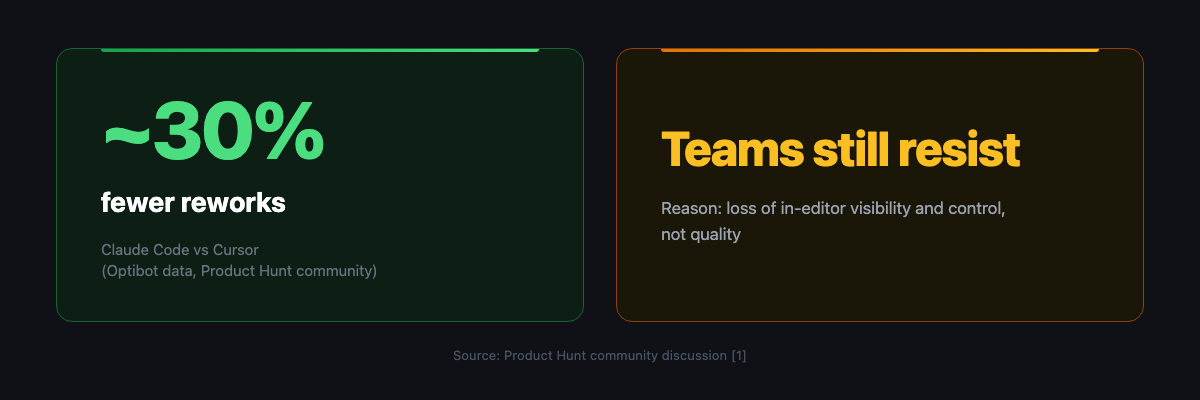
The Product Hunt "Cursor or Claude Code?" discussion is useful for exactly that reason. It includes a vendor-cited community claim that Claude Code produced close to 30 percent fewer reworks for one vendor's users, while other commenters still preferred Cursor for IDE visibility, diff review, and sense of control [16]. That is not benchmark proof. It is social evidence that output quality and control-surface fit can point in different directions.
The honest conclusion is not "ignore quality." It is "sequence the decision."
First decide where control belongs. Then decide where state persists. Then compare model quality inside the surfaces that actually fit your workflow.
That sequence also protects you from overgeneralizing community claims. Product Hunt and Reddit are valuable because they show practitioner language: visibility, review, context, costs, worktrees, prompt files, and switching across tools [16] [17] [20] [21]. They do not prove that one tool is universally best.
Use The Checklist Before The Next Tool Review
If your team is deciding between Cursor, Claude Code, Copilot, Codex, and an MCP project board, do not start with a ranking.
Start with the state-surface checklist:
- Where will humans steer the work?
- Where will acceptance criteria live?
- Where will decisions and artifacts persist?
- Which scopes should an assistant be allowed to read or update?
- What evidence must exist before work moves to review?
- What happens when a different person or agent takes over?
If the answer fits inside the editor, use the editor. If the answer fits inside the repo plus strong hooks, use the terminal or cloud agent. If the answer needs to survive across tools, people, tasks, artifacts, approvals, and sessions, add an external state surface over MCP.
That is where Agiflow fits. It is not the coding agent. The assistant remains the agent. Agiflow is the shared project board that gives external assistants scoped tools and durable project state through MCP [26].
Model benchmarks still matter. They just matter after the team knows what surface it is choosing.
For adjacent reading, start with why AI coding agents lose context across sessions, AI coding team norms conflict, and the spec-driven development tools explosion.
TL;DR
- AI coding tools should be chosen by control surface and state owner before model quality.
- IDE-native tools fit close human steering and visual diff review.
- Terminal and cloud-agent tools fit longer autonomous runs when repo guardrails, hooks, commits, and logs are strong.
- External MCP-connected boards fit team-scale work where tasks, artifacts, approvals, locks, and handoffs must survive across people, tools, and sessions.
- Community quality claims are useful inputs, not final verdicts. Sequence the decision: control first, state second, model quality third.
References
- Claude Code docs: Overview. https://code.claude.com/docs/en/overview . Captured 2026-07-05. Official docs: Claude Code spans terminal, IDE, desktop app, browser, MCP, memory, hooks, skills, and multiple agents.
- Claude Code docs: Memory. https://code.claude.com/docs/en/memory . Captured 2026-07-05. Official docs: each session starts with a fresh context window;
CLAUDE.mdand auto memory carry context, while hooks are recommended for blocking actions. - Claude Code docs: Hooks. https://code.claude.com/docs/en/hooks . Captured 2026-07-05. Official docs: hooks can run around sessions, turns, and tool calls;
PreToolUsecan allow, deny, ask, defer, or modify tool input. - Cursor docs: Agent overview. https://cursor.com/docs/agent/overview.md . Captured 2026-07-05. Official docs: Cursor Agent can complete coding tasks, run terminal commands, edit code, search code, use web and browser, create checkpoints, queue follow-ups, and support interruptions.
- Cursor docs: Rules. https://cursor.com/docs/rules.md . Captured 2026-07-05. Official docs: Cursor rules provide persistent prompt-level context across project, user, team, and
AGENTS.mdscopes. - Cursor docs: MCP. https://cursor.com/docs/mcp.md . Captured 2026-07-05. Official docs: Cursor connects to external tools and data through MCP, with project and global config plus enterprise allowlists.
- GitHub Copilot docs: Cloud agent. https://docs.github.com/en/copilot/concepts/agents/cloud-agent/about-cloud-agent . Captured 2026-07-05. Official docs: Copilot cloud agent can research, plan, branch, commit, run in GitHub Actions, and preserve transparency through commits and logs.
- GitHub Copilot docs: MCP. https://docs.github.com/en/copilot/concepts/context/mcp . Captured 2026-07-05. Official docs: MCP extends Copilot across IDEs, Copilot CLI, app, and cloud agent by connecting tools and data sources.
- Model Context Protocol docs: Introduction. https://modelcontextprotocol.io/docs/getting-started/intro . Captured 2026-07-05. Official docs: MCP connects AI applications to external systems, including data sources, tools, and workflows.
- Model Context Protocol specification. https://modelcontextprotocol.io/specification/2025-06-18 . Captured 2026-07-05. Official specification: MCP standardizes integration between LLM applications and external data sources and tools.
- Anthropic Engineering: Code execution with MCP. https://www.anthropic.com/engineering/code-execution-with-mcp . Captured 2026-07-05. Third-party claim: large MCP tool sets can overload context; on-demand tool loading, filtering, and persistent state can help.
- Product Hunt: "Cursor or Claude Code?" community discussion. https://www.producthunt.com/p/cursor/cursor-or-claude-code . Captured 2026-07-05. Community claim: discussion includes a vendor-cited near 30 percent rework claim and comments valuing visibility and control.
- Product Hunt: "AI in your IDE versus AI in your terminal." https://www.producthunt.com/p/vibecoding/ai-in-your-ide-e-g-cursor-vs-ai-in-your-terminal-claude-code-what-s-the-better-flow . Captured 2026-07-05. Community claim: IDE versus terminal is framed as workflow and control preference.
- Reddit: Claude Code plus IDE versus Cursor. https://www.reddit.com/r/cursor/comments/1rscil0/is_claude_code_an_ide_effectively_the_same_as/ . Captured 2026-07-05. Community claim: practitioner language distinguishes developer-friendly participation from semi-autonomous or CI-style agent use cases.
- Reddit: moved from Cursor to Claude Code CLI. https://www.reddit.com/r/ClaudeAI/comments/1qbov4s/i_moved_from_cursor_to_claude_code_cli_here_is/ . Captured 2026-07-05. Community claim: hybrid workflows use editor for UI and review and terminal agents for large refactors or tests.
- Reddit: which coding AI tool are you using in 2026. https://www.reddit.com/r/AI_Agents/comments/1slczzz/which_coding_ai_tool_are_you_actually_using_in/ . Captured 2026-07-05. Community claim: practitioners compare context handling, repo understanding, and multi-tool usage.
- Reddit: terminal or IDE for multiple clients and AI use. https://www.reddit.com/r/ClaudeAI/comments/1ukiphc/what_terminal_ide_are_you_using_if_you_handle/ . Captured 2026-07-05. Community claim: discussion centers on multiple projects, MCP setups, model switching, worktrees, and small always-loaded files.
- Reddit: Task Master and Cursor task management. https://www.reddit.com/r/ClaudeAI/comments/1jlhg7g/task_master_how_i_solved_cursor_code_slop_and/ . Captured 2026-07-05. Community claim: practitioner externalizes large prompts into task files, dependencies, and scoped subtasks.
- Birgitta Boeckeler: "Understanding SDD, Kiro, spec-kit, and Tessl." https://martinfowler.com/articles/exploring-gen-ai/sdd-3-tools.html . Captured 2026-07-05. Third-party claim: SDD tools differ by what a spec is, how specs are organized, and whether specs are living, change-lifetime, or source artifacts.
- Agiflow first-party
llms.txt. Local fileproducts/agiflow/apps/agiflow-app/public/llms.txt. Captured 2026-07-05. First-party fact: Agiflow is a commercial project board that connects external AI assistants and supplies scoped tools, shared state, artifacts, vault entries, workflow locks, and workflow coordination while the assistant remains the agent.
Put this project board inside ChatGPT
Open Agiflow in ChatGPT to plan campaigns, create tasks, and check what needs attention. Create a free Agiflow account when you are ready to keep the board for your team.
More to read
Claude Code project management: connect the tracker, test the handoff
Connect Claude Code to Linear or Jira using official MCP instructions, then check permissions, one approved update and a fresh Cursor handoff.
10 min readInverse text normalization: define what your parser gets
A readable transcript can still be the wrong input for code. Choose its number representation before treating a schema check as evidence of correctness.
7 min readAI Agent Approvals That Hold Up: 5 Lessons From Meta's Muse
Five lessons from Meta Muse show why agent approvals need an independent authority, readable scope, and recoverable evidence. Apply the five-field receipt.
11 min read