MCP project management tools guide
Best MCP Project Management Tools in 2026
MCP project management tools are project boards and servers that connect to an AI assistant over the Model Context Protocol, so the assistant can read projects, tasks, and status, and create or update work when you grant it that scope. They differ mainly in who maintains the connector, which assistant clients it supports, and how much the assistant is allowed to change.
The best MCP project management tool depends on where your work already lives. If you want a project board built for AI assistant access, start with Agiflow. If your engineering team already runs on Linear, use Linear's official MCP support. If your project context sits in documents and databases, Notion is a strong fit.
Last updated .
Free plan available. No credit card required. Connect the assistant you already use.
Assistant-native project board
Agiflow
Engineering issue workflows
Linear
Workspace and documentation context
Notion
| Best Fit | Tool Or Category | Why It Fits |
|---|---|---|
| Assistant-native project board | Agiflow | Teams that want ChatGPT, Claude, Cursor, Codex, or VS Code to work from the same durable board as humans. |
| Engineering issue workflows | Linear | Teams already using Linear that want official assistant access to issues and project data. |
| Workspace and documentation context | Notion | Teams whose project plans live in docs, databases, notes, and lightweight task views. |
| Existing enterprise PM setup | Jira, Asana, ClickUp, or a similar suite with verified MCP support | Teams that cannot move their source of truth and need assistant access around the current system. |
| Developer experimentation | Community or local MCP task servers | Developers who want control and are comfortable owning setup, hosting, and maintenance. |
Choose By Where Your Project Truth Lives
Do not start by asking which tool has the most MCP endpoints. Start by asking where the team already trusts project state.
| Your Situation | Best Direction | Watch Out For |
|---|---|---|
| You are starting a new AI-assisted workflow and want the board plus assistant access together. | Agiflow | Keep the scope plain: projects, tasks, artifacts, and team visibility. |
| Your engineering team already plans work in Linear. | Linear MCP | Make sure the assistant has the right read and write boundaries for issues. |
| Your plans live in Notion pages, databases, and documents. | Notion MCP | Confirm whether task changes, comments, and database updates match how your team works. |
| Your company already uses Jira, Asana, ClickUp, or another large PM suite. | Verified official or maintained connector | Do not assume MCP support from a directory listing alone. Verify the source, permissions, and maintenance path. |
| You want to test MCP locally before buying anything. | Community or local server | You own deployment, auth, upgrades, and failure recovery. |
How To Evaluate MCP Project Management Tools
A project management MCP server is only useful if the assistant can see the right work, change the right things, and stay inside the scope the team approved.
Official Support Versus Community Connector
Official support gives teams a clearer owner for updates, auth changes, and support. Community servers can still be useful, but treat them like infrastructure your team owns.
Read Access, Write Access, And Reversible Actions
A useful connector should make read and write behavior explicit. Start with read access, then test task creation, task movement, comments, and deletion on a sample project.
Client Coverage
Check the assistant clients your team actually uses. ChatGPT, Claude Desktop, Cursor, Codex, and VS Code may not share the same setup path.
Project Data Model
Project work needs projects, statuses, tasks, comments, owners, and progress. If the connector exposes only a thin slice, the assistant will still need manual context.
Artifacts And Files
Specs, designs, links, and reference files should stay close to the work. Confirm how files are stored and whether signed URLs or sensitive content stay out of model-visible responses.
Access Controls
Choose tools that let you scope access before real project data is connected. Broad workspace permissions are rarely the right first step.
| Criterion | What To Check | Why It Matters |
|---|---|---|
| Support model | Is it official, vendor-maintained, or community-maintained? | Production teams need a clear owner when the connector breaks. |
| Assistant clients | Does it work with ChatGPT, Claude, Cursor, Codex, VS Code, or only one client? | Teams rarely standardize on one assistant. |
| Read coverage | Can the assistant inspect projects, tasks, statuses, comments, and related context? | Thin read access turns the assistant into a search box. |
| Write coverage | Can it create, update, move, comment on, or attach work safely? | Useful project help usually requires controlled writes. |
| Scope controls | Can a user choose workspace, project, task, or narrower access? | Team data should not become globally visible to an assistant by accident. |
| Artifacts | Can files, specs, design assets, or links stay attached to the work? | Projects are more than task titles. |
| Setup effort | Is the connection hosted, app-based, local, or custom? | Setup cost can erase the value of assistant access for small teams. |
| Pricing | Are seats, projects, assistant connections, and usage limits clear? | Unclear pricing slows adoption and makes team rollout harder. |
MCP Project Management Tools Compared
The table below is a practical shortlist, not a trophy list. Treat official product docs as the source of truth before connecting production data.
| Tool Or Category | Best For | MCP Status | Strength | Tradeoff |
|---|---|---|---|---|
| Agiflow | Teams that want a shared project board for humans and external AI assistants. | Product provides MCP tools and skills for external assistants. | Durable board, scoped assistant access, tasks, artifacts, templates, and team visibility in one product. | Not a replacement for every enterprise PM suite. Best when the team wants the assistant-native board itself. |
| Linear | Engineering teams already running issue workflows in Linear. | Official MCP documentation exists. | Strong fit for developer issue tracking and engineering project flow. | Less suitable if non-engineering teams need a general shared board. |
| Notion | Teams whose project knowledge lives in docs, databases, and workspace pages. | Official MCP documentation exists. | Strong workspace context and flexible information model. | Task execution can depend heavily on how the workspace is structured. |
| Jira or Atlassian ecosystem | Mature software teams with established enterprise workflows. | Verify current official or maintained MCP support before rollout. | Deep software delivery process and enterprise familiarity. | Setup and permissions can be heavier than small teams need. |
| ClickUp or Asana | Cross-functional teams already using broad PM suites. | Verify current official or maintained MCP support before rollout. | Useful when the existing suite must remain the source of truth. | Connector quality and write coverage may vary. |
| Community MCP task servers | Developers testing MCP workflows or building private internal tools. | Community-maintained or self-hosted. | High control and low starting cost. | Maintenance, security, auth, and uptime belong to the team. |
| MCP directories | Teams looking for discovery breadth. | Directory listings, not necessarily production endorsements. | Good way to find emerging servers. | Not enough evidence by itself to choose a production workflow. |
Where Agiflow Is The Right MCP Project Management Choice
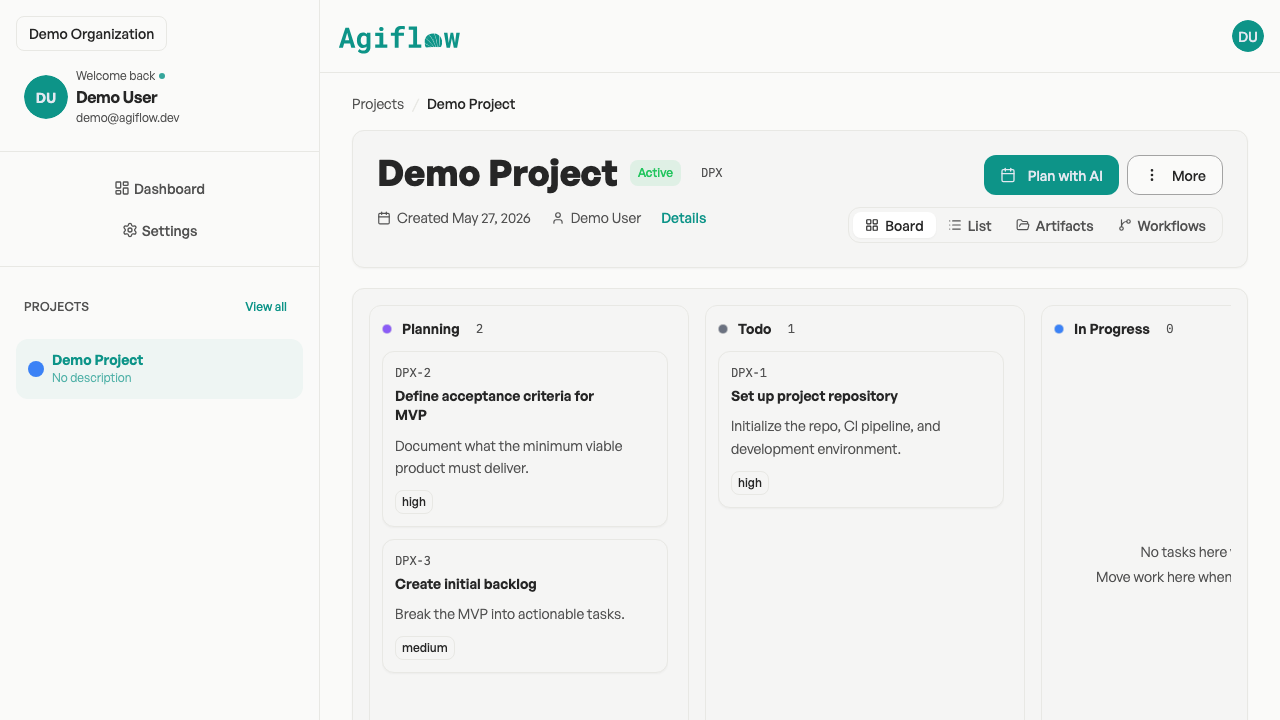
Agiflow is the best fit when you are not just connecting an assistant to an old project system. You want a simple AI project board that was designed for people and AI assistants to share project state.
Free includes 2 seats, 3 projects, and 3 AI assistant connections.
Use Agiflow When The Assistant Needs The Same Board As The Team
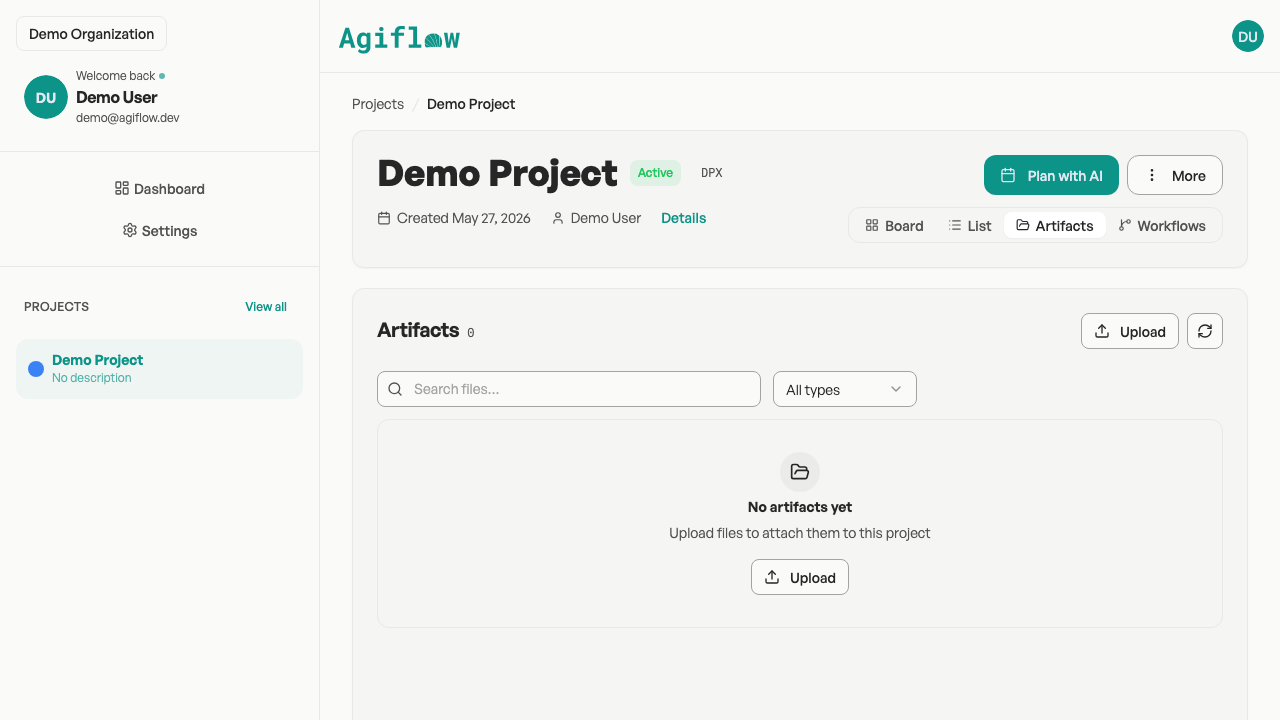
Teams can create projects, organize tasks on a Kanban board, use templates, invite members, upload artifacts, and receive real-time task updates.
Give The Assistant A Scope, Not The Whole Workspace
External assistants such as ChatGPT, Claude Desktop, VS Code, Cursor, and other MCP-compatible clients can work through Agiflow. You choose the useful project context before access is issued.
Keep Project Files Attached To The Work
Agiflow keeps artifacts with the project, so the assistant can work from structured project context while your team still sees the board.
Before You Connect An Assistant To Project Work
MCP makes project tools more useful, but it also gives an assistant a path into team data. Learn the basics of MCP project management, then use this checklist before production rollout.
Confirm who maintains the server or connector.
Confirm which clients are supported, not just which ones are possible.
Start with read access before adding write access.
Scope access to the smallest useful workspace, project, or task.
Check whether signed URLs, files, and secrets are kept out of model-visible responses.
Test create, update, move, and delete behavior on a sample project first.
Make pricing, seat limits, assistant connection limits, and usage limits clear before rollout.
Best MCP Project Management Tool By Workflow
The best MCP project management tool changes by workflow because each team stores project truth in a different place. Match the tool to your source of truth first.
For A New AI-Assisted Project Board
Choose Agiflow when the team wants the project board and assistant access to be part of the same workflow from day one.
For Engineering Issue Tracking
Choose Linear when Linear is already where engineering work lives and official MCP support gives your assistant enough access.
For Document-Led Project Work
Choose Notion when project knowledge lives in pages, databases, meeting notes, and lightweight task systems.
For Enterprise Work Management
Stay with Jira, Asana, ClickUp, or your current suite when replacement cost is too high. Evaluate MCP support as an integration layer.
For Local Experiments
Use a community MCP task server for learning, prototyping, or keeping data under your own control. Someone still owns upgrades, auth, logs, and downtime.
Keep Comparing
These related Agiflow pages explain the protocol, server setup, AI project boards, ChatGPT workflows, integrations, and pricing behind the MCP project management category.
MCP Project Management Tools FAQ
These answers cover the common buying questions behind MCP project management tools, including safety, write access, client support, existing suites, and Agiflow's agent boundary.
What is an MCP project management tool?
An MCP project management tool lets an AI assistant connect to project data through the Model Context Protocol. Depending on the tool, the assistant may be able to read projects and tasks, create or update work, add comments, open project files, or render interactive views.
What is the best MCP project management tool?
The best choice depends on your workflow. Agiflow is the strongest fit when you want a shared project board built around external AI assistant access. Linear fits engineering teams already using Linear. Notion fits document-led workspaces. Existing PM suites fit teams that cannot move their source of truth.
Do ChatGPT and Claude both support MCP project management tools?
Support depends on the tool and transport path. Agiflow is designed for external AI assistants including ChatGPT, Claude Desktop, VS Code, Cursor, and related MCP-compatible clients. Always verify the specific client setup before rollout.
Can an AI assistant create and update tasks through MCP?
It can when the MCP server exposes write tools and the user has granted the right scope. Do not assume every MCP project management tool supports safe writes. Check create, update, move, comment, and delete behavior before using it on live work.
Is MCP safe for project data?
MCP can be safe when access is scoped, auth is clear, tool outputs are controlled, and sensitive URLs or secrets are not exposed to the model. The risk comes from broad permissions, unclear connector ownership, and untested write actions.
Should I replace Jira, Asana, ClickUp, or Notion with an MCP-native board?
Not always. If your team already trusts an existing system and switching would create more work, connect the current source of truth through a verified connector. Choose an MCP-native board such as Agiflow when you want the board itself to be simpler and designed around assistant access.
What should I check before choosing a project management MCP server?
Check whether it is official or community-maintained, which clients it supports, what the assistant can read and write, how access is scoped, how files are handled, how pricing works, and who fixes the connector when it breaks.
Does Agiflow run AI agents?
No. Agiflow provides the project board, MCP tools, skills, widgets, scoped access, and project context. The AI assistant runs outside Agiflow, such as ChatGPT, Claude Desktop, Cursor, VS Code, Codex, or another compatible client.
Give Your Assistant A Real Project Board
If your team is ready to stop copying plans between chat and a separate task list, start with a board your assistant can actually work from. Agiflow keeps the project state visible to the team and available to the AI tools you already use.
Free forever for 2 seats and 3 projects. Upgrade when the team needs more space.