AI project management software guide
Best AI project management software for teams using ChatGPT or Claude
If you want AI inside a large work platform, compare Asana, ClickUp, Wrike, Motion, and Teamwork. If your team already plans work with ChatGPT, Claude, or Cursor, Agiflow gives that assistant a shared project board your whole team can trust.
No credit card required. Free plan available. Connect the assistant you already use.
The best AI project management software depends on where your team already works. Pick Asana or ClickUp when you want an all-in-one workspace with built-in AI. Pick Motion when calendar scheduling is the core problem. Pick Teamwork or Wrike when client delivery, approvals, or forecasting matter most. Pick Agiflow when your AI assistant already helps plan the work and now needs one shared board for projects, tasks, files, status, and team visibility. Agiflow is the MCP-native option in this shortlist: assistants connect over the Model Context Protocol and work from the same board your team sees, rather than through an AI panel bolted onto a separate app.
The best AI project management software to compare in 2026
Most buyers do not need every AI feature. They need the tool that fits how work moves today. Use this shortlist to decide what kind of AI project management product you are actually shopping for.
Verified July 20, 2026. We reviewed each vendor's official product or help page and compared the workflow each product is built to support. Pricing and AI packaging can change, so confirm them with the vendor.
| Tool | Best fit | Why teams compare it | Watch for |
|---|---|---|---|
| Agiflow | Teams that already use ChatGPT, Claude, Cursor, or another AI assistant | A simple shared board where the assistant and team can work from the same project data | Not built for native time tracking, profitability forecasting, or heavy portfolio management |
| Asana | Cross-functional teams already running work in Asana | Workflows, goals, updates, and collaboration features with AI layered into a broader work platform | Can be more platform than a small team needs |
| ClickUp | Teams that want one workspace for docs, tasks, chat, and AI | Broad feature coverage and workspace AI for summarizing and querying work | Setup and governance can become work of their own |
| Wrike | Teams with complex approvals, risks, and enterprise workflows | Risk visibility, proofing, workload, and structured approval patterns | Usually strongest when process complexity is real |
| monday.com | Teams new to structured project management | Approachable work management with automation and AI assistance | Less focused on AI assistant driven workflows |
| Motion | People who need calendar-first planning | AI scheduling and task planning around calendar availability | Less suited as a shared board for many assistant-connected tools |
| Teamwork.com | Agencies and client service teams | Client delivery, utilization, budget, and profitability workflows | More specialized around agency operations |
| Jira | Technical teams managing issues and engineering work | Issue tracking, sprint work, and software team structure | Often too technical for non-engineering teams |
Agiflow
Best for: Small teams that want ChatGPT, Claude, Cursor, or another compatible assistant to use one shared project board.
Limitation: It does not include native time tracking, profitability forecasting, or enterprise portfolio planning.
Official source: Agiflow product overviewAsana
Best for: Cross-functional teams that want goals, workflows, project views, and AI inside an established work platform.
Limitation: Its breadth can create more setup and administration than a small team needs.
Official source: Asana AI project managementClickUp
Best for: Teams that want tasks, docs, chat, workspace search, and AI in one broad product.
Limitation: The large feature surface requires deliberate setup and governance.
Official source: ClickUp Brain overviewWrike
Best for: Teams with structured approvals, workload planning, reporting, and enterprise risk workflows.
Limitation: It is usually a better fit when the team genuinely needs that process depth.
Official source: Wrike Work Intelligencemonday.com
Best for: Teams that want a configurable board system with automations, dashboards, and AI features in the same platform.
Limitation: AI availability and credit requirements depend on the account and paid plan.
Official source: monday work management guideMotion
Best for: Teams that want task priorities, capacity, deadlines, and calendar time to be planned automatically.
Limitation: Its scheduling-first operating model is less useful when a shared assistant-readable board is the main requirement.
Official source: Motion AI Project ManagerTeamwork.com
Best for: Agencies and client-service teams that need time, utilization, budgets, resourcing, and profitability visibility.
Limitation: Its client-operations depth can be unnecessary for teams that only need lightweight project visibility.
Official source: TeamworkAI overviewJira
Best for: Software and technical teams that need issue tracking, dependencies, planning views, and engineering workflows.
Limitation: Its issue-oriented model can feel technical for general business teams.
Official source: Jira featuresHow to choose AI project management software
Start with the workflow, then judge the AI. A long feature list does not help if your team still has to copy tasks out of chat, rebuild status every week, or ask where the latest file lives.
Where does the AI work?
Some products add an AI panel inside the project app. Others, like Agiflow, connect the AI assistant your team already uses to the project board. This matters because adoption usually follows the tool people already open every day.
Can it turn plans into visible work?
Look for projects, tasks, owners, statuses, comments, files, and progress views. AI planning is useful only when the result lands somewhere the team can act on it.
Does it reduce project admin or add another inbox?
The tool should lower the time spent translating notes into tasks, updating status, and finding context. If AI output becomes another place to check, it has missed the point.
What does it not do?
A useful buying guide names the tradeoffs. Agiflow is not trying to replace enterprise portfolio tools, time-tracking suites, or resource forecasting systems. It is built for a simpler job: keep the team and their AI assistant working from one board.
Can the team start without a sales process?
For small teams, a free plan and clear seat pricing matter. If a tool needs a long setup before the first project is useful, it may be the wrong fit for a lightweight AI-assisted workflow.
Why Agiflow is different
Most AI project management tools bring AI into their own app. Agiflow goes the other way. It gives the assistant you already use a real project board to work from, so plans, tasks, files, and progress do not disappear after the chat ends.
Start free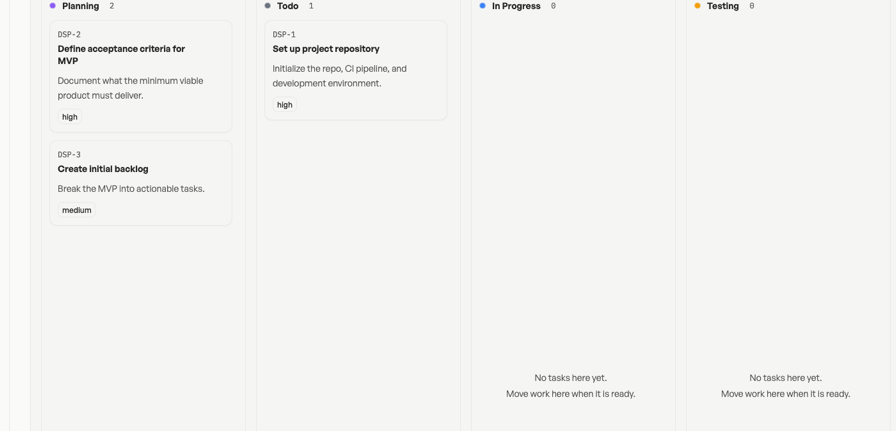
Your assistant gets project context
Connect ChatGPT, Claude, Cursor, or another compatible assistant to Agiflow. The assistant can work with structured project data instead of guessing from a pasted brief or a stale screenshot.
Your team keeps the board
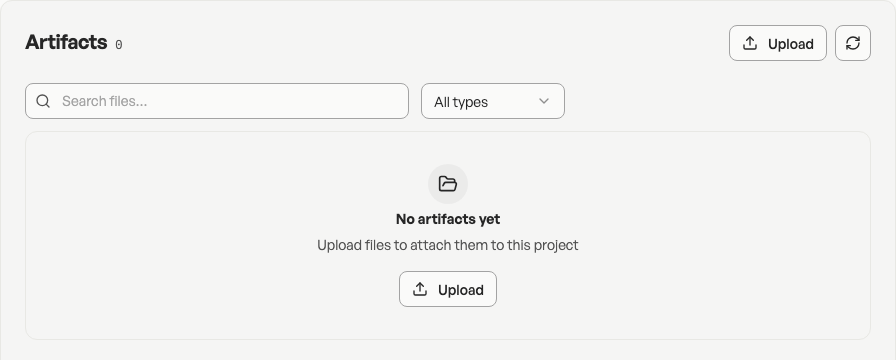
Projects, work units, tasks, statuses, comments, artifacts, templates, and real-time updates stay in Agiflow. Humans still see the work, move tasks, add files, and decide what changes.
Small teams can start with a real workflow
Create a project from a blank board or a template, organize tasks on the kanban board, invite teammates, and keep project files in the same place as the work.
It is honest about scope
Agiflow is strongest when the problem is AI-assisted project visibility. If you need native budget forecasting, time tracking, complex resource planning, or enterprise approval workflows, compare larger platforms before choosing.
Who Agiflow is best for
Marketing managers planning campaigns with AI
Use ChatGPT or Claude to shape the campaign, then keep the actual brief, tasks, statuses, files, and teammates on one board. Agiflow supports campaign-style project templates and team task tracking, so the plan has somewhere to live after the first brainstorm.
Freelancers managing client work
Turn client notes into task lists, keep deliverables attached to the right project, and avoid rebuilding context every time you ask an assistant for help.
Small team leads who want less project admin
Use Agiflow when your team needs a shared board before it needs enterprise process. Track work in statuses, keep artifacts close to tasks, and let your assistant help from the same project context.
When Agiflow is not the right choice
Agiflow is not trying to be every project management product at once. Choose another tool when the buying requirement is one of these:
Native time tracking, utilization, billing, or profitability reports for agency operations. Compare Teamwork.com and other client-service platforms.
AI calendar scheduling where every task competes for time on a calendar. Compare Motion and calendar-first planners.
Enterprise risk prediction, portfolio reporting, advanced approvals, or heavy resource management. Compare Wrike, Asana, Jira, and other mature platforms.
An all-in-one workspace for docs, chat, whiteboards, tasks, and knowledge search. Compare ClickUp, Notion, monday.com, and similar suites.
Choose Agiflow when the sharper problem is this: your team already asks AI for help, and now that assistant needs a shared board where real work can be planned, tracked, and finished.
How much does AI project management software cost?
Most AI project management tools use a free tier, paid seats, or custom enterprise pricing. Current comparison pages commonly show paid plans in the rough range of $7 to $30 per user per month, depending on the product and plan.
Agiflow pricing
Agiflow has a free plan for getting started and paid seat pricing for teams. The public pricing page currently lists Team at $9 per seat per month, or $7 per seat per month billed annually.
See pricingNo credit card required to start free. Paid plans can be managed from billing settings.
Annual billing is listed at $7 per seat per month on the pricing page.
Keep Comparing
These pages and posts cover the MCP tool landscape, ChatGPT workflows, board concepts, integrations, and pricing behind this comparison.
AI project management software FAQs
What is AI project management software?
AI project management software helps teams plan, organize, update, summarize, or query project work with help from AI. Some tools add AI features inside a project app. Others connect your existing AI assistant to structured project data so the assistant can help without losing the team board.
What is the best AI project management software?
There is no single best tool for every team. Asana, ClickUp, Wrike, monday.com, Motion, Teamwork, and Jira all fit different workflows. Agiflow is the better fit when your team already uses ChatGPT, Claude, Cursor, or another assistant and needs one shared board for projects, tasks, files, and status.
Can AI replace a project manager?
No. AI can help draft plans, summarize updates, generate tasks, and find project context. A project manager or team lead still decides priorities, handles tradeoffs, manages people, and owns the outcome. Agiflow is designed around that division: your assistant can help with the board, but your team stays in control.
Which AI project management tool is best for small teams?
Small teams should look for fast setup, clear pricing, simple task tracking, and a workflow people will actually use. Agiflow is a strong fit when the team already uses an AI assistant and wants the assistant connected to a shared project board instead of adding another heavy platform.
Which AI project management tool is best for agencies?
Agencies that need time tracking, utilization, budget forecasting, and client profitability reports should compare agency-focused platforms such as Teamwork.com. Agencies or freelancers that mainly need a lightweight board where an AI assistant can help plan and track client work should compare Agiflow.
How much does AI project management software cost?
Many products offer free plans and paid tiers. Public comparison pages commonly show paid plans around $7 to $30 per user per month, with enterprise plans priced separately. Agiflow publishes a free plan and paid team pricing on its pricing page.
Are AI project management tools secure enough for project data?
It depends on the tool and the data you plan to store. Review access controls, assistant connection settings, file handling, data retention, and compliance claims before adding sensitive work. Agiflow lets users choose the workspace, project, or task context authorized for ChatGPT, and project access is governed through team membership.
What features should I compare before choosing?
Compare where the AI works, how tasks are created, whether project context stays organized, how files and comments are handled, what integrations are available, how pricing scales, and which features are missing. The missing features matter as much as the shiny ones.
Give your AI assistant a project board your team can share
Agiflow is for teams that already ask AI to help plan the work. Start with a shared board, connect the assistant you already use, and keep projects, tasks, files, and status visible after the chat ends.
No credit card required. Free plan available.