AI Coding Agent Scaffolding: How to Keep Generated Code Consistent
AI coding agents do not scale through longer instructions alone. Use scaffolds for repeated structure, architecture checks for drift, and shared state for durable work.
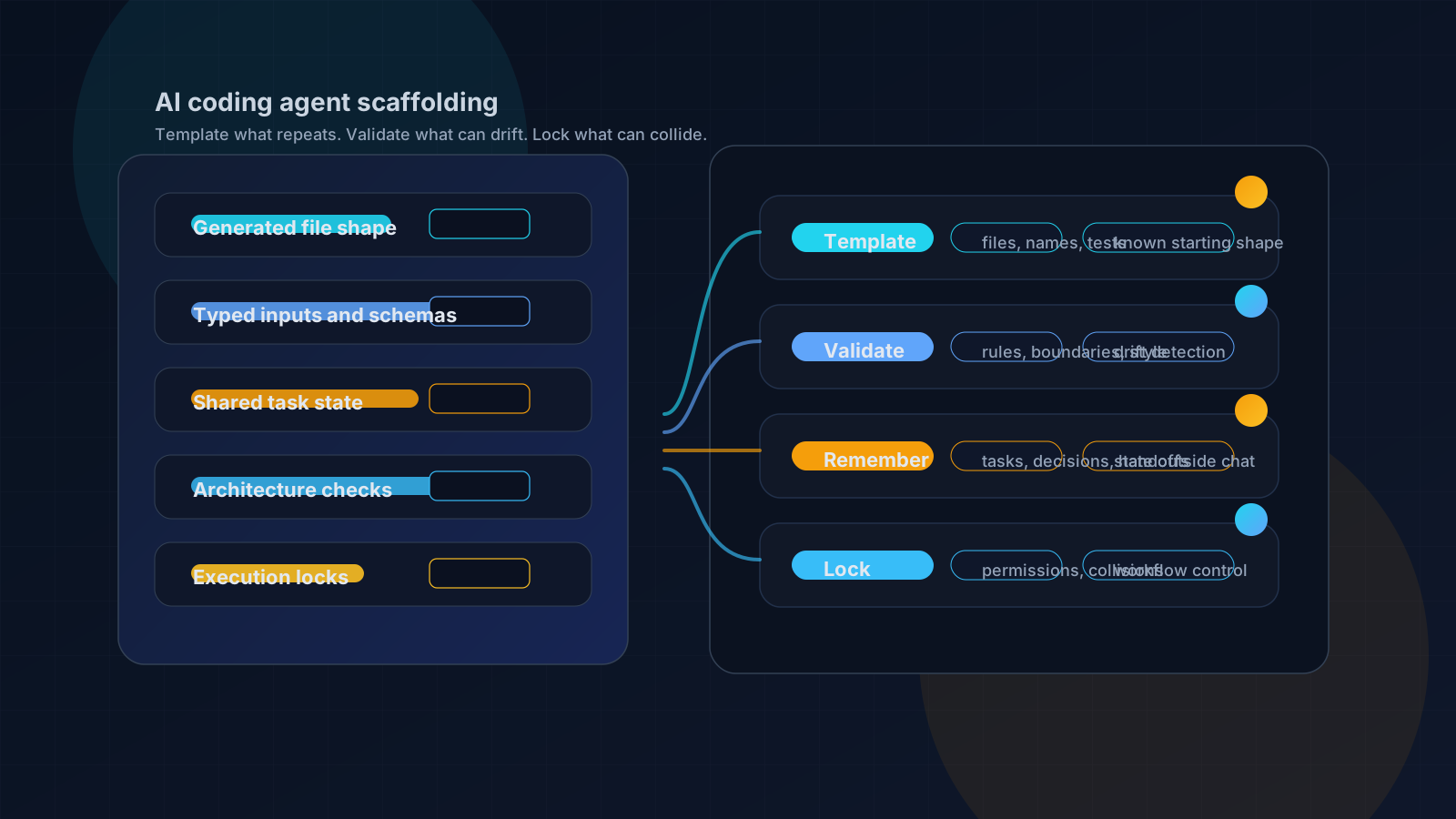
AI coding agent scaffolding reduces drift by turning repeated structure into a reusable start.
The first failure is rarely dramatic. An AI coding agent adds a route, a component, or an API handler that works. Tests pass. Then review catches the same thing it caught last week: the file is in the wrong shape, the naming is close but not quite local, the imports ignore the house pattern, or the test stub is missing the one assertion your team always expects.
The temptation is to write a longer instruction file. Add one more rule to CLAUDE.md. Add one more Cursor rule. Add one more paragraph to the task prompt. That works for judgment and preferences, but it is a weak delivery system for repeated structure.
Quick answer: AI coding agent scaffolding keeps generated code consistent by moving repeated project decisions into approved templates, typed variables, validation checks, and shared project state. The scaffold gives the agent a known starting shape instead of asking it to recreate local conventions from memory. It does not replace code review, tests, architecture validation, or product judgment. It narrows the surface area where the agent is allowed to improvise.
That distinction matters because the evidence around AI-assisted software delivery is mixed. DORA's 2024 research reports productivity and flow benefits from AI adoption, while also reporting delivery stability, throughput, and trust tradeoffs [4]. Speed is not the whole problem. If the generated code is fast but every PR still needs the same cleanup, the team has not scaled development. It has moved the cost into review.
This article is about the layer that should not be left to memory: the repeated shape of production code.
Prompt-Only Convention Management Breaks in Growing Repos
I learned this the tedious way in a large monorepo with frontend apps, backend APIs, shared packages, design-system code, and deployment patterns. The first attempt was obvious: write down the rules.
That started as a root instruction file with project structure, coding standards, naming rules, style-system constraints, and development process notes. It helped. It also failed in predictable places. The agent could quote the rule in one part of the session and then ignore it twenty minutes later when generating the file.
The second attempt was to split the instructions by directory. More local files. More context near the code. Slightly better, but now the maintenance cost was wrong. I had dozens of instruction files describing a much smaller number of actual patterns.
The third attempt was to wrap the work in an autonomous flow: plan, code, run checks, fix, repeat. That caught some errors after the fact, but it did not stop the agent from creating the wrong starting shape. I still spent too much time deleting code that should never have been generated.
You hear the same pain in practitioner discussions. Developers working in large codebases talk about context limits, scoped context, rules, and manual double-checking. That Reddit thread is not proof of a technical fact, but it is useful language for the problem: teams are not only asking for more generation. They are trying to keep agents oriented inside a real system [12].
The lesson is narrow and useful: instructions are good for judgment. They are brittle when used as a transport for repeated file structure.
What AI Coding Agent Scaffolding Means Here
"Scaffolding" is an overloaded word in AI work, so define it before using it.
There are at least three meanings:
| Meaning | What it controls | Example |
|---|---|---|
| Code scaffolding | Files, folders, names, imports, tests, metadata | A route generator, component template, API handler template |
| Prompt or tool scaffolding | How an agent receives context and calls tools | MCP prompts, tool schemas, agent instructions |
| Agent harness scaffolding | Runtime orchestration around the agent | Tool dispatch, safety checks, context management |
The idea is not new. Yeoman describes itself around generators that start projects or useful parts while prescribing practices [5]. Rails documents generators, templates, overrides, fallbacks, and application templates [6]. Angular schematics define instructions that ng generate can use to create project artifacts [7].
The new part is not that templates exist. The new part is that a coding agent can call a scaffold, receive the generated structure, and then fill in the domain-specific logic. The scaffold owns the repeatable shape. The agent owns the part that still requires reasoning.
That is a better contract than "please remember our patterns."
The Four-Layer Model: Template, Validate, Remember, Lock
Scaffolding is important, but it is only one layer. If you ask it to carry the whole workflow, it will fail.
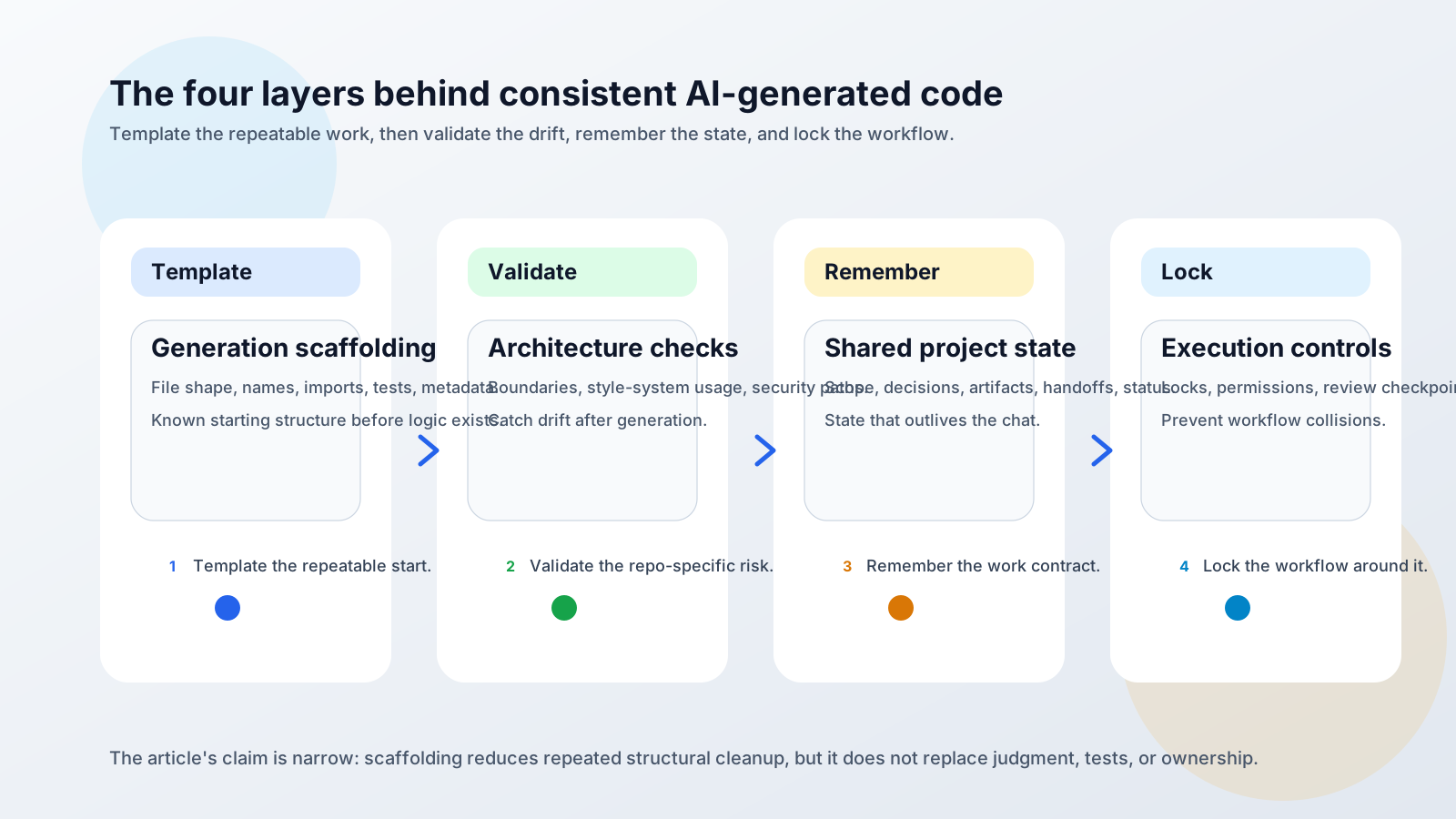
| Layer | Job | What it should handle | What it should not promise |
|---|---|---|---|
| Generation scaffolding | Give the agent a known starting shape | Repeated files, naming, imports, route shells, test stubs, metadata shapes | Correct product behavior |
| Architecture validation | Check generated work against repo rules | Dependency boundaries, design patterns, style-system usage, security-sensitive paths | Inventing the right feature |
| Shared project state | Keep the work contract outside the chat | Scope, acceptance criteria, decisions, artifacts, handoffs, status | Replacing human ownership |
| Execution controls | Prevent workflow collisions | Locks, gates, permissions, review checkpoints | Making unsafe automation safe by default |
Agiflow's public docs describe the product side of that model as a project board for external assistants. The assistant remains the agent; Agiflow supplies scoped board tools, shared state, artifacts, vault entries, workflow coordination, and locks [8]. Separately, the open-source AI Code Toolkit lists scaffold-mcp, architect-mcp, style-system, and one-mcp capabilities for standardization, architecture review, design-system guidance, and tool discovery [11].
That is first-party practice, not independent proof. It is still useful because it shows where scaffolding belongs: at the front of a broader controlled workflow, not as a magic quality layer.
When to Use a Scaffold Instead of Longer Instructions
Use a scaffold when the review comment is structural and repetitive.
If your team keeps saying "new routes should include this loader shape," "components need the same test file," or "packages need the same export pattern," the agent should not be asked to remember that every time. It should call a scaffold.
| Need | Best tool | Reason |
|---|---|---|
| Judgment, preference, tone, tradeoff | Instructions | The agent needs to reason about context |
| Repeated file structure | Scaffolds | The shape is known before generation starts |
| Repo-specific rules | Architecture checks | The output needs inspection against local invariants |
| Task ownership and handoffs | Shared state | The work changes over time and must survive the chat |
- Does the pattern repeat?
- Can the file path or file shape be described before the feature logic exists?
- Can the variables be typed or constrained?
- Does review keep finding the same structural mismatch?
- Would a generated starting point reduce the amount of cleanup?
If the answer is yes, create a scaffold. If the answer is no, keep it in instructions, validation, or review.
A good first scaffold usually starts as a repeated review comment. For example:
"Every new settings page needs the same metadata export, route wrapper, loading state, and test stub."
Turn that into a pattern:
variables_schema:
  type: object
  properties:
    pageName:
      type: string
      description: Human-readable page name
    routePath:
      type: string
      pattern: '^/[a-z0-9-/]+$'
      description: App route path
    withAuditLog:
      type: boolean
      default: false
  required:
    - pageName
    - routePath
  additionalProperties: false
The schema is not there to make the model smart. It is there to narrow the inputs before files are created. OpenAI's Structured Outputs docs describe how strict: true with JSON Schema can constrain model responses to a supplied schema, while still recommending clear key names, descriptions, and evals for quality [3]. That supports the variable-boundary idea. It does not prove the generated feature is correct.
After generation, run the normal checks. The scaffold gives you a better starting line. It is not the finish line.
What MCP Changes
MCP matters because it changes how the agent reaches the scaffold.
The Model Context Protocol specification describes tools as server-exposed capabilities with names, descriptions, input schemas, structured content, and optional output schemas. It also calls out human-in-the-loop and security considerations for tool use [1]. Anthropic introduced MCP as an open standard for connecting AI systems with data sources and tools through servers and clients [2].
For scaffolding, that means the template is no longer just a README a human reads or a CLI command the agent might forget. It becomes a callable tool:
- The agent can discover available scaffolds.
- The tool can ask for typed inputs.
- The server can generate files from approved templates.
- The result can be handed back as structured content.
That does not make every client identical. Claude Code, Cursor, Codex, and other coding agents have different surfaces and workflows. The useful point is narrower: MCP gives teams a common way to expose the scaffold as a tool instead of prose.
In Agiflow's docs, scaffold-mcp documentation frames standardization around shared templates for new projects and feature additions [9]. The related architecture validation tools are the next layer: read design patterns before building and check work against quality rules after [10]. If you are wiring this into an agent client, the integration pages for Claude Code, Codex, and Cursor show the board-level MCP connection patterns.
The security warning belongs in the same paragraph as the power. A scaffold tool can write files. It should have a narrow scope, a clear schema, and a human review path. MCP gives you a transport. It does not absolve you from permission design.
What to Template, What to Validate, What to Leave Alone
Scaffolding gets worse when teams turn it into a dumping ground for every preference.
Keep deterministic work deterministic. Let the agent handle the part that actually changes between features. Validate the risky parts after generation.
| Put in the scaffold | Validate after generation | Leave to the agent and reviewer |
|---|---|---|
| File paths | Dependency boundaries | Product behavior |
| Naming conventions | Security-sensitive code paths | UX tradeoffs |
| Imports and exports | Style-system usage | Domain rules |
| Test file placement | Route and module ownership | Exception handling |
| Metadata shape | Required checks and commands | Business logic |
| Boilerplate wrappers | Cross-package imports | Whether the feature should exist |
The example I like is a component scaffold. It can own the folder, the component file, the test file, the story file, the barrel export, and the prop naming convention. It should not decide whether the component belongs in the design system, whether the interaction is accessible, or whether the product needs the component at all.
For those parts, use architecture checks, design review, and human judgment. If your team is fighting architectural drift specifically, the related post on enforcing architectural patterns when AI generates code covers the validation side of the system.
Where Scaffolding Fails
Scaffolding fails when the wrong layer carries the work.
The common failure modes are not mysterious:
- A one-off feature becomes a template too early.
- The template bakes in a bad local pattern.
- The scaffold drifts from the real codebase.
- The agent has the right file shape but stale task context.
- The generated code passes shape checks and fails behavior tests.
- Two agents generate overlapping changes without a lock or handoff record.
None of those are arguments against scaffolding. They are arguments against overclaiming it.
DORA's 2024 findings are a useful guardrail here. AI adoption can improve individual flow and productivity, but the same research also reports trust and delivery tradeoffs [4]. A scaffold can reduce repeated structural cleanup. It cannot make an organization good at review, testing, ownership, or coordination.
This is where shared state becomes part of the scaffolding conversation. If the agent starts from a perfect template but works from a stale brief, you still get the wrong code. If the brief lives only in the chat, it disappears when the session ends. The related piece on why AI coding agents lose context goes deeper on that memory problem, and shared state for AI coding teams covers the team version.
The short version: templates reduce variation in generated structure. They do not preserve the work contract. Use MCP project management tools or another durable board layer when ownership, scope, artifacts, and handoffs need to outlive one agent session.
How to Start Without Replatforming
Do not begin by building a template ecosystem.
Start with one repeated review comment. Pick something small enough that the team already agrees on the shape:
- A new page pattern.
- A route handler shell.
- A React component with tests.
- A package export layout.
- A task artifact format.
- A migration wrapper.
Then run the smallest useful loop:
- Capture the review comment in plain language.
- Turn it into an approved before-and-after example.
- Define the variables the scaffold accepts.
- Add schema constraints for names, paths, and options.
- Generate the files from the scaffold.
- Run architecture review and tests.
- Update the scaffold when review finds a real pattern issue.
That last step matters. A scaffold is code. It can rot. If the repo pattern changes and the scaffold does not, the agent will faithfully generate yesterday's convention.
Keep the first version boring. Boring is good here. A template that removes one repeated cleanup comment is already useful. Once it works, the next candidate is obvious because review will keep pointing to it.
If you are using Agiflow's open-source tooling, the natural next step is the Agiflow scaffold-mcp docs. Use them to turn one repeated review comment into a reusable scaffold. Pair that with architecture checks when the failure is not file shape but pattern drift.
The Operating Rule
Longer prompts do not make repeated structure deterministic. They make repeated structure negotiable.
AI coding agent scaffolding works when it is treated as a boundary: this part of the output is known, approved, and generated from a template. The agent still has room to solve the feature, but it starts from the team's structure instead of recreating it from memory.
The operating rule is the same one from the start: template what repeats, validate what can drift, externalize what must survive the chat, and lock what concurrent agents can collide on.
Do that once for a small pattern and the payoff is modest. Do it across the patterns that appear in every feature and the review conversation changes. Reviewers stop correcting the same scaffolding mistakes and get back to the only questions humans should be answering: does this behavior make sense, is it safe, and should we ship it?
References
[1] Model Context Protocol, Tools specification: https://modelcontextprotocol.io/specification/2025-06-18/server/tools
[2] Anthropic, "Introducing the Model Context Protocol": https://www.anthropic.com/news/model-context-protocol
[3] OpenAI, Structured Outputs guide: https://developers.openai.com/api/docs/guides/structured-outputs
[4] Google Cloud DORA 2024 announcement and DORA 2024 report landing page: https://cloud.google.com/blog/products/devops-sre/announcing-the-2024-dora-report and https://dora.dev/research/2024/dora-report/
[5] Yeoman homepage: https://yeoman.io/
[6] Ruby on Rails Guides, "Creating and Customizing Rails Generators and Templates": https://guides.rubyonrails.org/generators.html
[7] Angular documentation, Schematics: https://angular.dev/tools/cli/schematics
[8] Agiflow public llms.txt: apps/agiflow-app/public/llms.txt
[9] Agiflow scaffold-mcp docs route:
apps/agiflow-app/src/routes/_marketing/docs/mcps/scaffold-mcp/index.tsx
[10] Agiflow architect-mcp docs route:
apps/agiflow-app/src/routes/_marketing/docs/mcps/architect-mcp/index.tsx
[11] AI Code Toolkit README: https://github.com/AgiFlow/aicode-toolkit
[12] Reddit social listening, r/ChatGPTCoding large-codebase thread, used for practitioner language only: https://www.reddit.com/r/ChatGPTCoding/comments/1hii8jv/big_codebase_senior_engineers_how_do_you_use_ai/
More to read
Typed Decisions for AI Agent Workflows: Record Before Routing
A typed model answer is an inference result, not a workflow transition. Record it once, pin the policy that consumes it, and replay the same decision without silently asking again.
12 min readGPT-6 Astra Changes the Bottleneck: Five Controls Agents Still Need
GPT-6 Astra raises the operating stakes for computer-using agents. Use five controls to define authority, evidence, approval, and recovery beyond the model.
12 min readDeepSeek Harness vs Pi Coding Agent: Which Should You Choose?
Compare DeepSeek Harness and Pi coding agent by architecture, MCP support, approvals, sandboxing, and session evidence. Choose the operating burden your team can own.
12 min read