Product development on Agiflow
Your agent forgets the plan when the session ends
Your coding agent's plan lives only in the chat thread. Close the terminal or switch machines, and there is nothing to pick back up.
The cost
Nobody but you can see what was decided
Only the person who ran the last session knows what happened, and there is nothing to check the work against.
- Work state lives in a thread only one person can read.
- A second agent or a second machine starts from nothing.
- What "done" meant is never written down, so nothing can be checked against it.
The shape
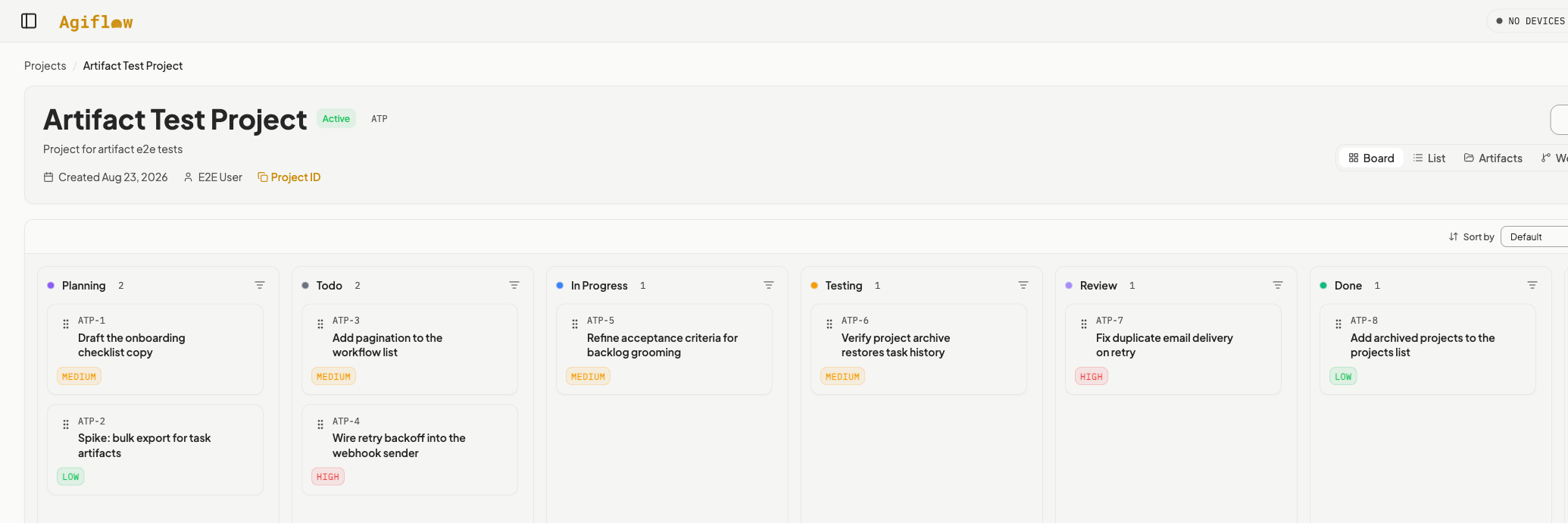
The board is the shared state
Agiflow holds the tasks, the acceptance criteria, the progress trail, and the review verdict. The agent reads and writes it over MCP.
The rules
Work moves in one direction
Planning to Todo to In Progress to Testing to Review to Done.
- Blocked: a human needs to step in.
- Cancelled: work stops there, for good.
Setup
One bundle, every runtime
The AgiFlow AI Plugin wires the MCP connection and adds the workflows, and setup is identical after install across Claude Code, Codex, ChatGPT. Here is how you check it worked.
- Claude Code: /mcp
- Codex: codex mcp list
- ChatGPT: Ask ChatGPT to list your Agiflow projects.
The loop
The loop, and why it holds
Five workflows run in order: project-plan, refine-task, backlog-grooming, run-task, review-work. Nothing skips ahead: a task runs only after grooming promotes it, and closes only after review judges it.
Step 1 of 5
Turn a goal into tasks
project-plan reads the project, checks for overlapping tasks, and asks only the questions it needs. It proposes a task list and waits for your approval before writing anything.
- Every task carries at least two checkable acceptance criteria.
- Bundled tasks get split before approval.
Step 2 of 5
Make one task unambiguous
refine-task names the ambiguities in one task and asks about the ones it can't resolve on its own. It rewrites vague criteria into observable behavior, without adding scope.
- Refinement never adds new requirements.
Step 3 of 5
Decide what is ready
backlog-grooming classifies every Planning task as ready, needs refinement, blocked, or duplicate. It proposes a priority order and suggested work units before it writes anything.
- A task without testable criteria is never promoted.
- A work unit holds three to eight tasks that deliver one capability.
- Planning to Todo
Step 4 of 5
Execute
run-task works the acceptance criteria one at a time, recording which files changed and what the tests returned. It lands in Review with a draft commit message and PR body.
- A task still in Planning is refused.
- Two failed test runs send it to Blocked, not a retry loop.
- Todo to In Progress to Testing to Review
Step 5 of 5
The verdict is recorded, not vibed
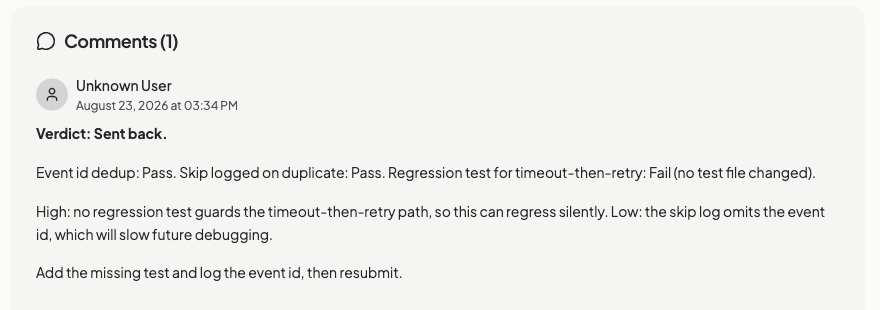
review-work gives every acceptance criterion a pass, fail, or partial verdict with the evidence used, and flags issues by severity. It approves the work or sends it back with specific instructions.
- Review does not fix anything; gaps become follow-up tasks.
- Review to Done, or back to In Progress
Start here
Install the plugin and plan one feature
The full walkthrough, with every prompt and what you should see, is in the tutorial.
- Bundle: github.com/AgiFlow/ai-plugin
- Tutorial: agiflow.io/guides/product-development